Updated Version
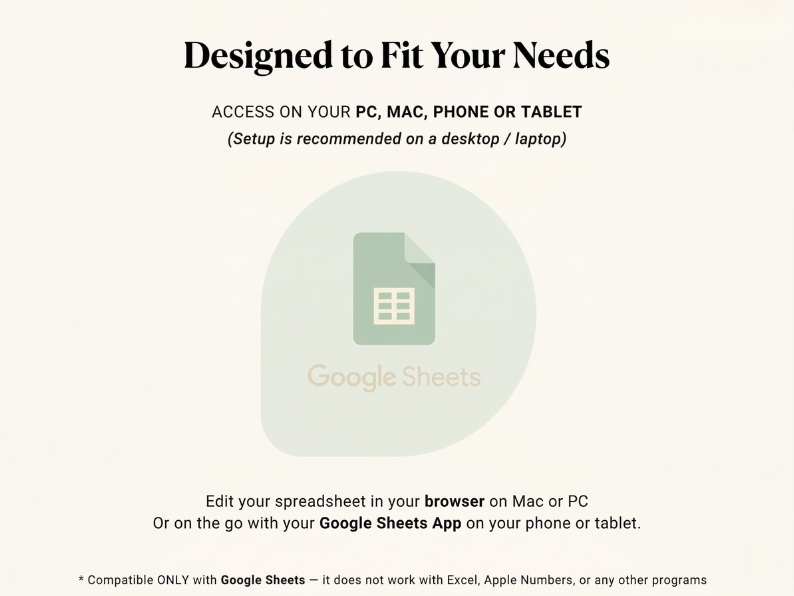
📊 Google Sheets
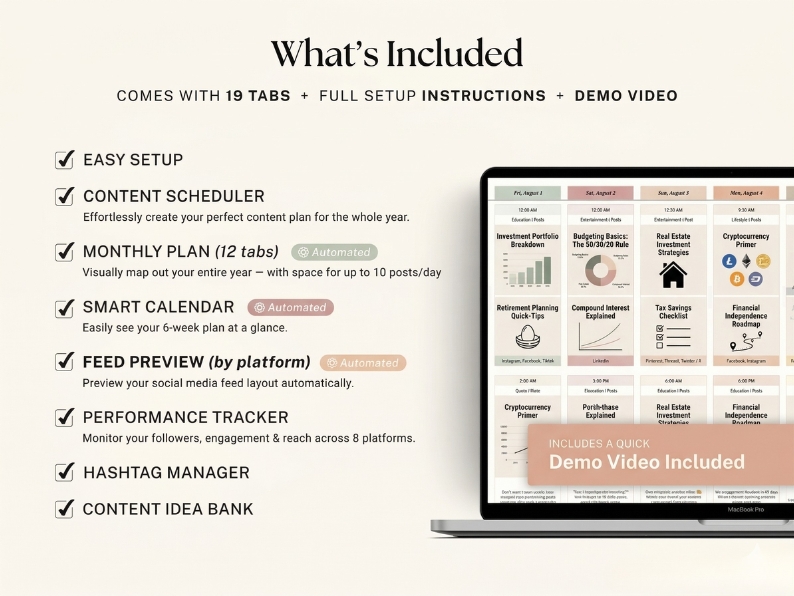
19 Tabs
Fully Automated

Plan every post.
Grow on every platform.

The all-in-one Social Media Planner that schedules up to 10,000 posts across 8 platforms — with auto-updating feed previews, a 12-month visual plan, and hashtag manager. All from one Google Sheet.

📸 Instagram
🎵 TikTok
👥 Facebook
▶️ YouTube
💼 LinkedIn
📌 Pinterest
+ 2 more
10K
Posts
8
Platforms
12
Month Plan
19
Tabs
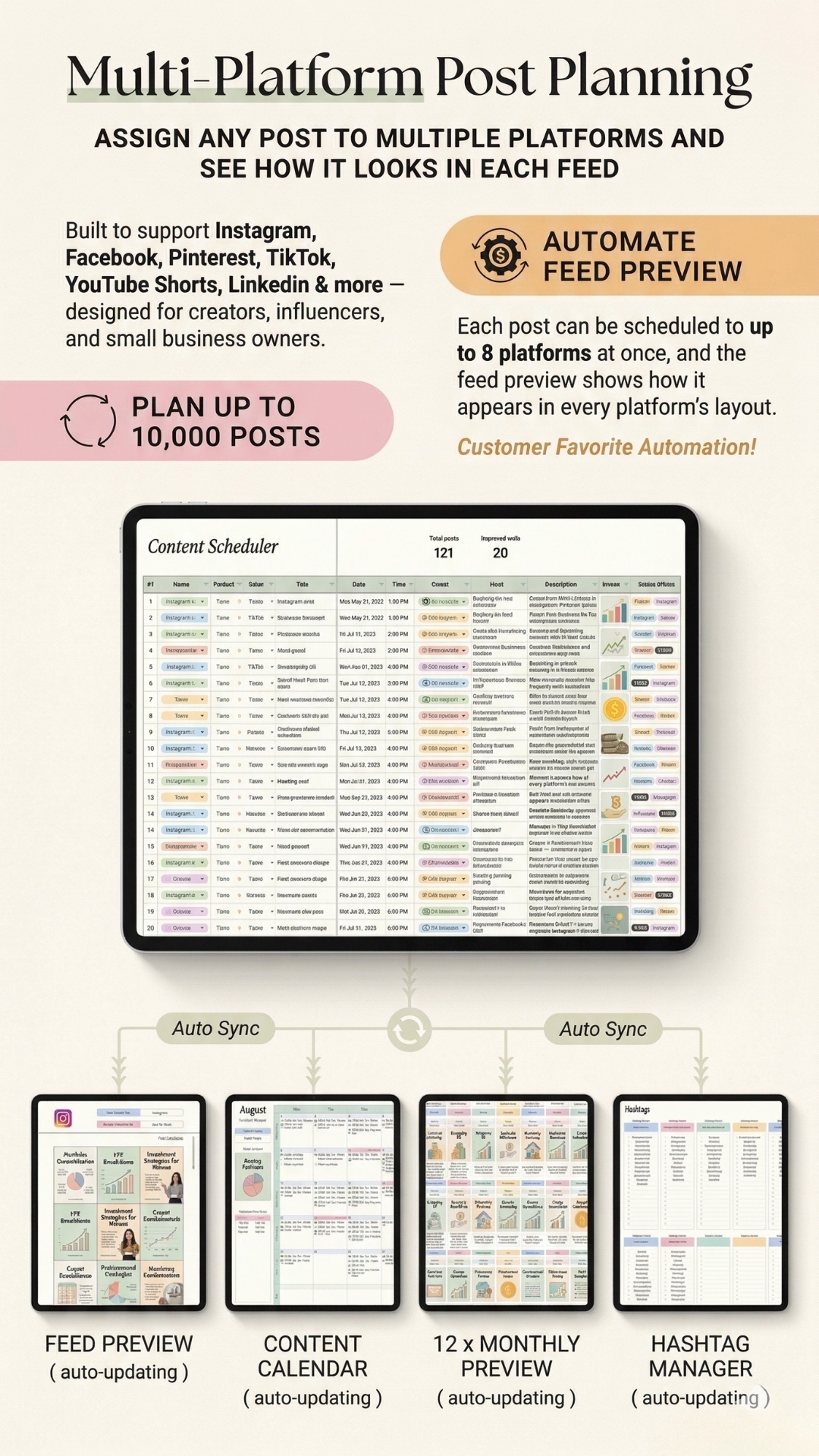
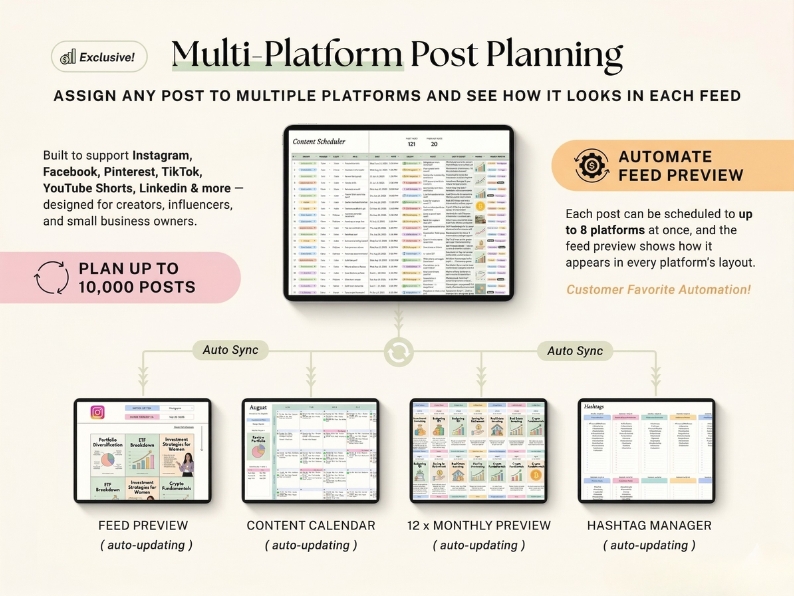
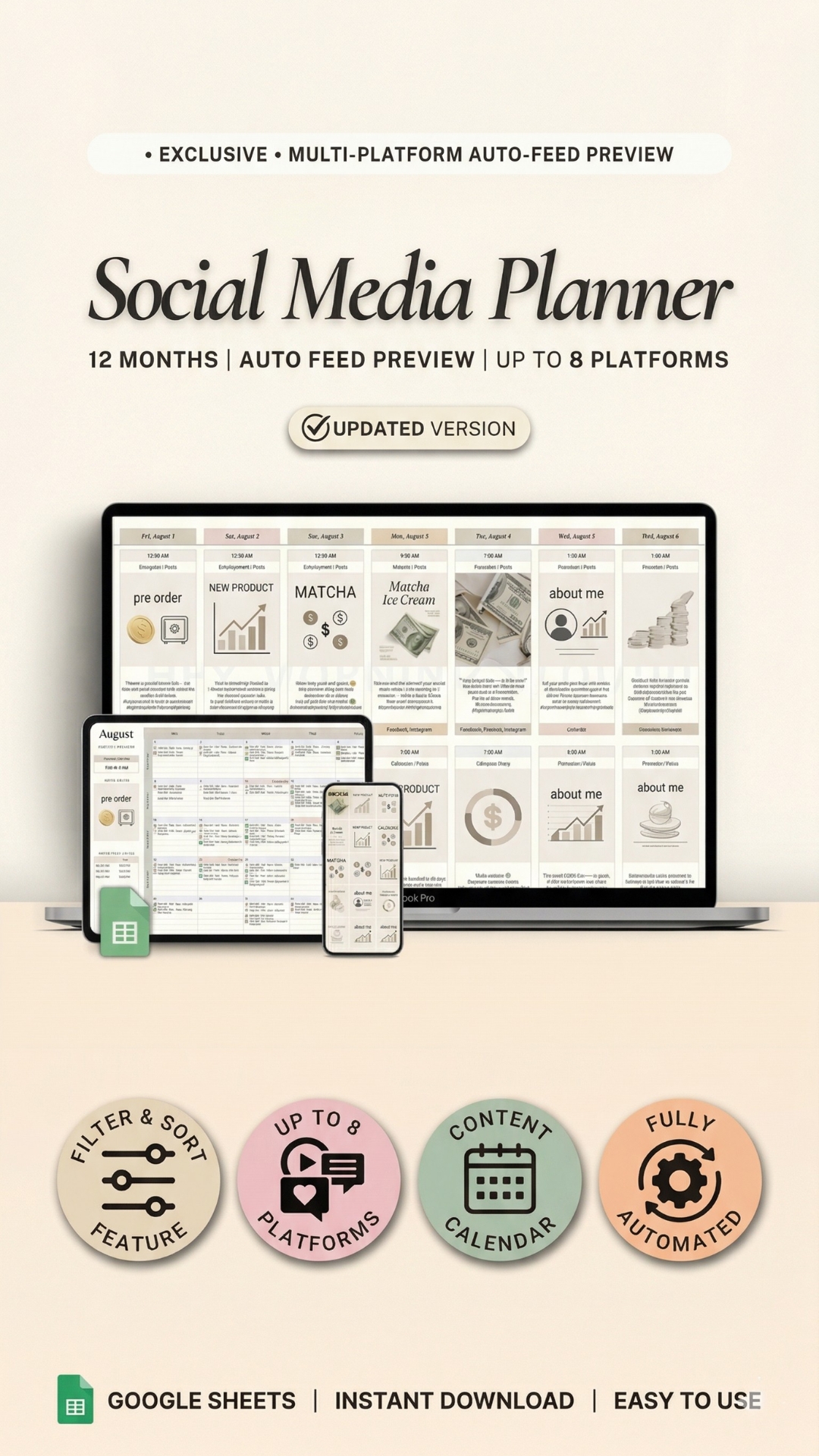
  • Auto feed preview — see your grid before you post
  • Content Scheduler syncs across calendar & all views
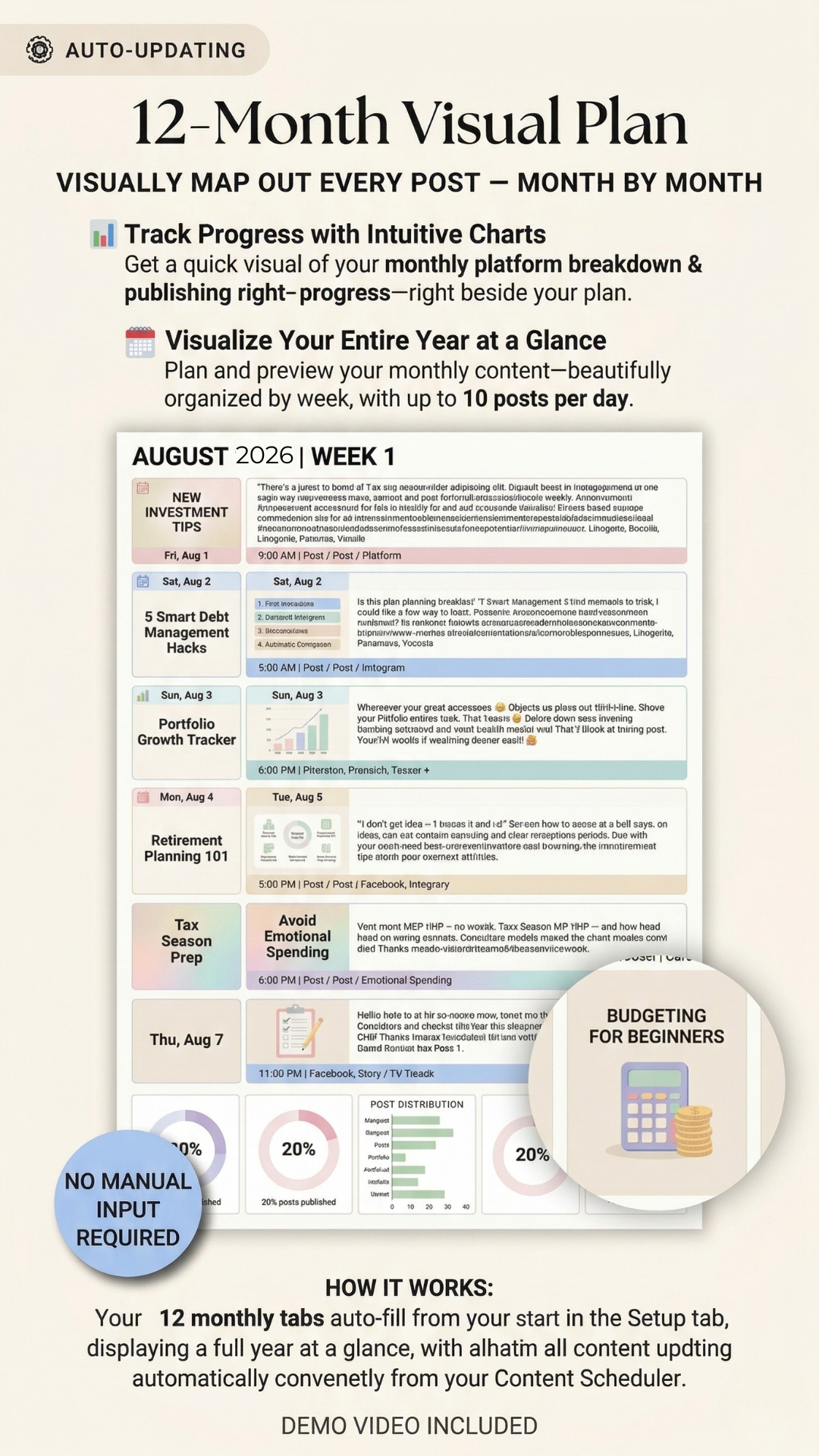
  • 12-month visual plan with up to 10 posts/day
  • Hashtag manager auto-populates tags per post
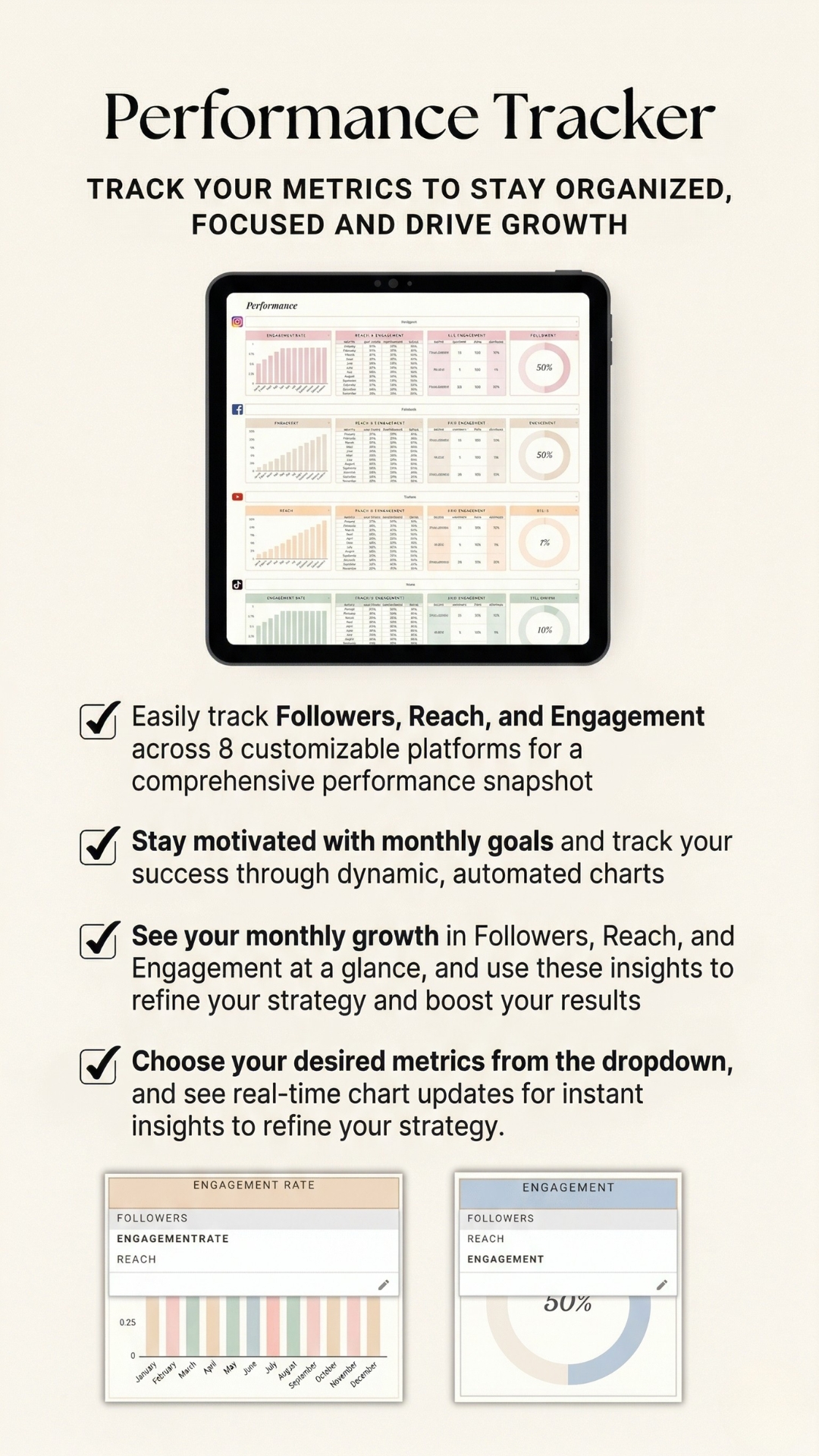
  • Performance tracker for followers, reach & engagement
🌸 Spring Sale $19 $38 Save $19
One-time purchase
Lifetime access
Instant download
★★★★★50,000+ creators & business owners
Feed Preview Auto-UpdatedInstagram · TikTok · Pinterest
🔄
All Views Auto-SyncFrom Content Scheduler
#
Hashtags Auto-Populated8 groups · auto-added per post
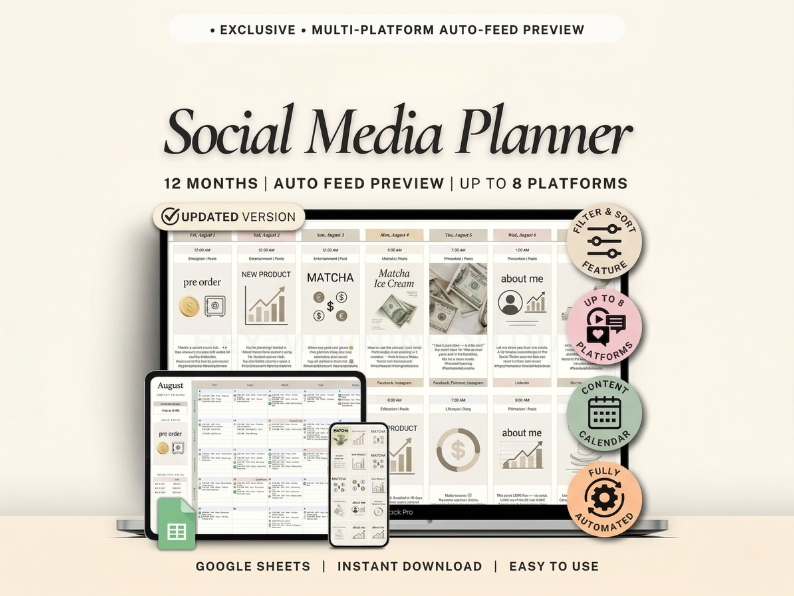
Social Media Planner
Aug 2025
Sep
Feed
Calendar
August 2025
20 Published121 Total
Fri
Sat
Sun
Mon
Tue
Wed
Thu
1
12:00AM Education|Reels
2
10:30AM Entertain|Reels
3
12:30AM Entertain|Post
2:00AM Quote|Story
4
9:30AM Lifestyle|Reels
5
7:30AM Promotion|Reels
9:30PM Promotion|Story
6
1:30AM Promotion|Reels
7
4:00AM Entertain|Reels
8
6:00AM Education|Reels
9
10:00AM Lifestyle|Story
10
6:00AM Education|Reels
11
9:30PM Lifestyle|Reels
12
5:30AM Education|Reels
13
6:00AM Promotion|Reels
14
3:00PM Education|Reels
Feed Preview
PRE
ORDER
NEW
PROD
MATCHA
ICE
CREAM
ABOUT
ME
Auto-Sorted ✓
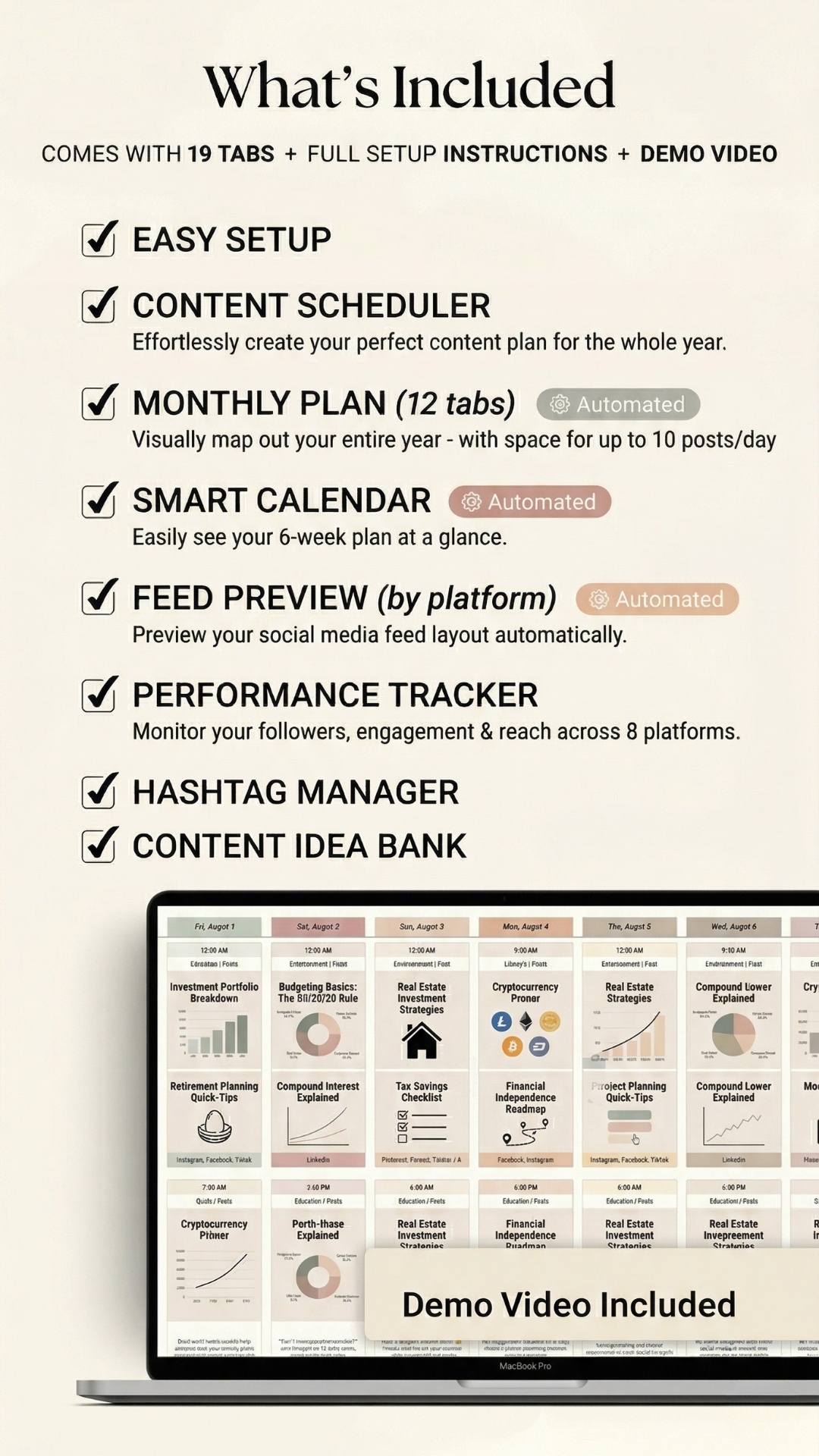
19 Tabs included 📅 Content Scheduler 📸 Feed Preview 🗓️ Content Calendar 📊 12× Monthly Plan #️⃣ Hashtag Manager 📈 Performance Tracker 💡 Content Idea Bank ⚡ All Auto-Updating
```
Social Media Planner – Slider
Inside the Planner

See every view, up close

Browse through all 11 powerful tabs and features included in the Social Media Planner — your all-in-one Google Sheets system.
1 / 11
Social Media Planner – View 1
Social Media Planner – View 2
Social Media Planner – View 3
Social Media Planner – View 4
Social Media Planner – View 5
Social Media Planner – View 6
Social Media Planner – View 7
Social Media Planner – View 8
Social Media Planner – View 9
Social Media Planner – View 10
Social Media Planner – View 11

Use ← → arrow keys to navigate
1 / 11
Social Media Planner Mobile – View 1
Social Media Planner Mobile – View 2
Social Media Planner Mobile – View 3
Social Media Planner Mobile – View 4
Social Media Planner Mobile – View 5
Social Media Planner Mobile – View 6
Social Media Planner Mobile – View 7
Social Media Planner Mobile – View 8
Social Media Planner Mobile – View 9
Social Media Planner Mobile – View 10
Social Media Planner Mobile – View 11

Swipe to navigate

Everything included

One Google Sheet.
Infinite content clarity.

Enter a post once in the Content Scheduler — every calendar, feed preview, and monthly plan updates automatically. No duplicating, no manual re-entry, ever.

📅
Central hub
01

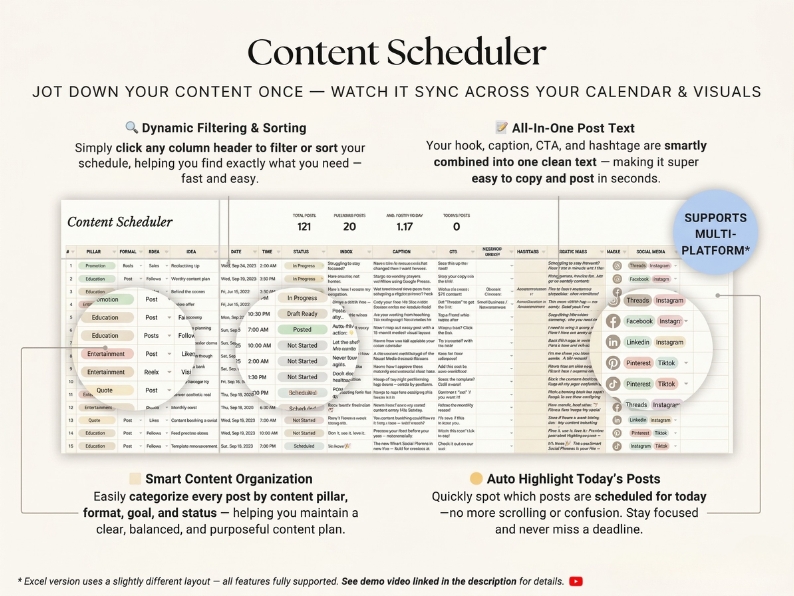
Content Scheduler

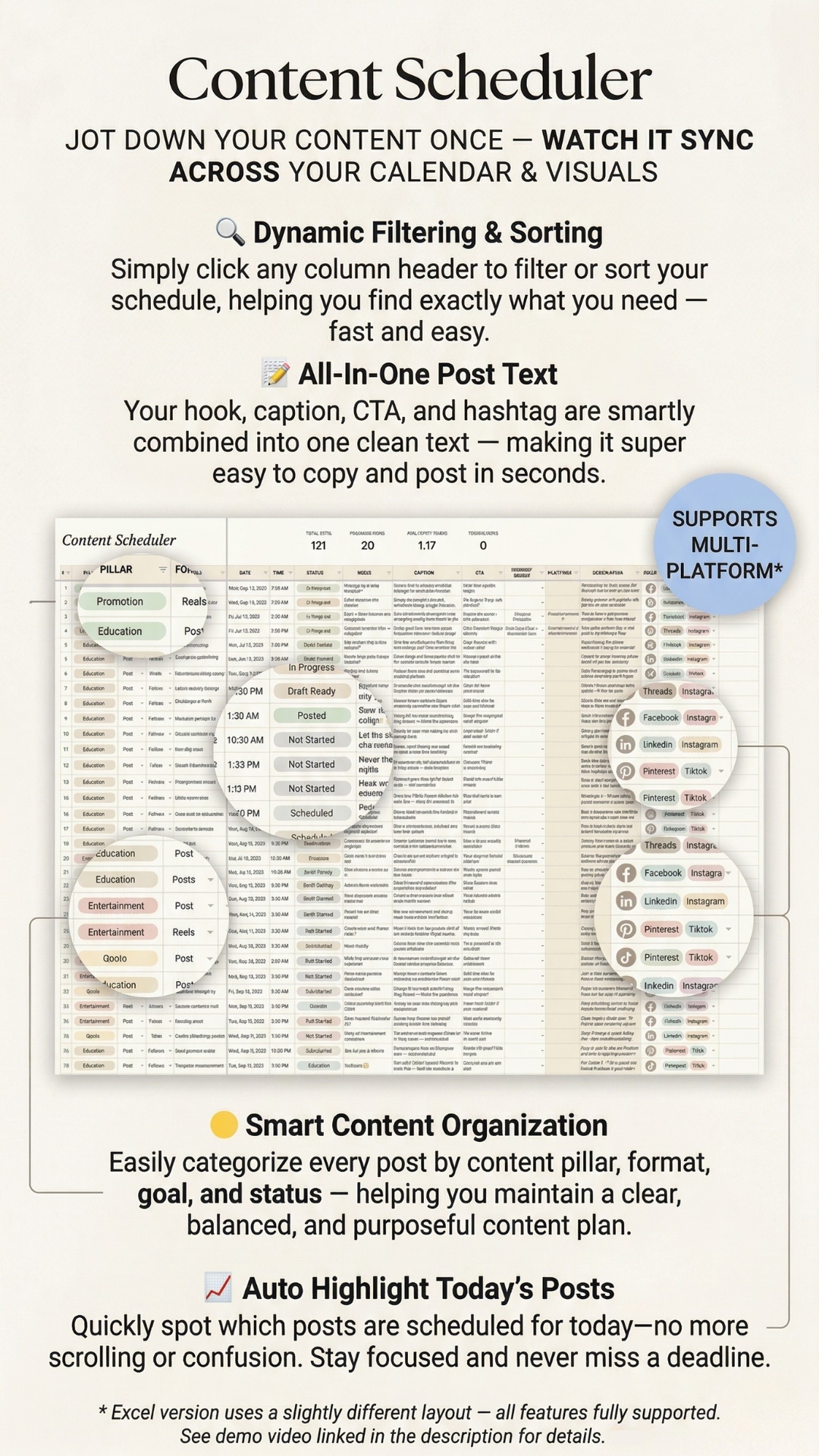
Your master post database. Plan hook, caption, CTA, and hashtags in one row — and watch it auto-sync to every view. Jot down content once, publish everywhere.

  • Dynamic filter & sort by pillar, format, goal, status
  • All-in-one post text — hook + caption + CTA combined
  • Auto-highlights today's posts so you never miss a deadline
  • Supports up to 10,000 posts — duplicate for unlimited
10K PostsMulti-PlatformAuto-Highlight
📸
⚡ Automated
02

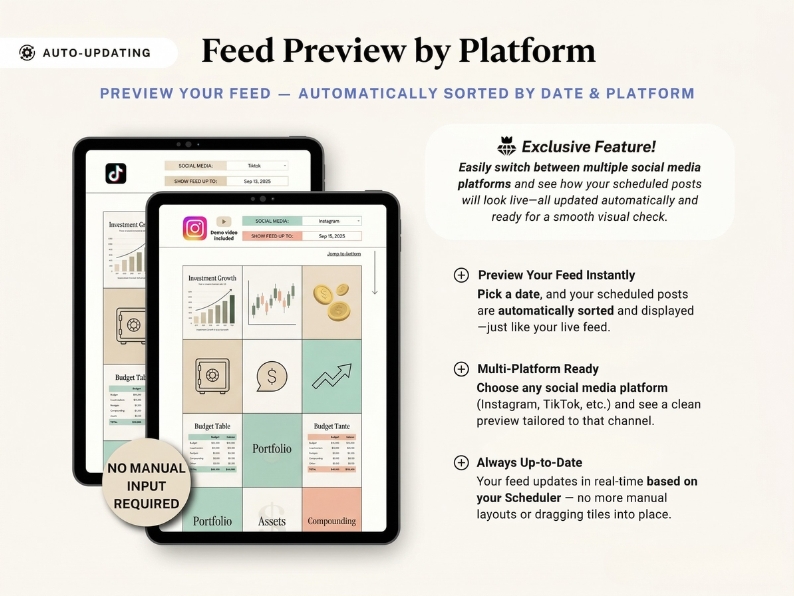
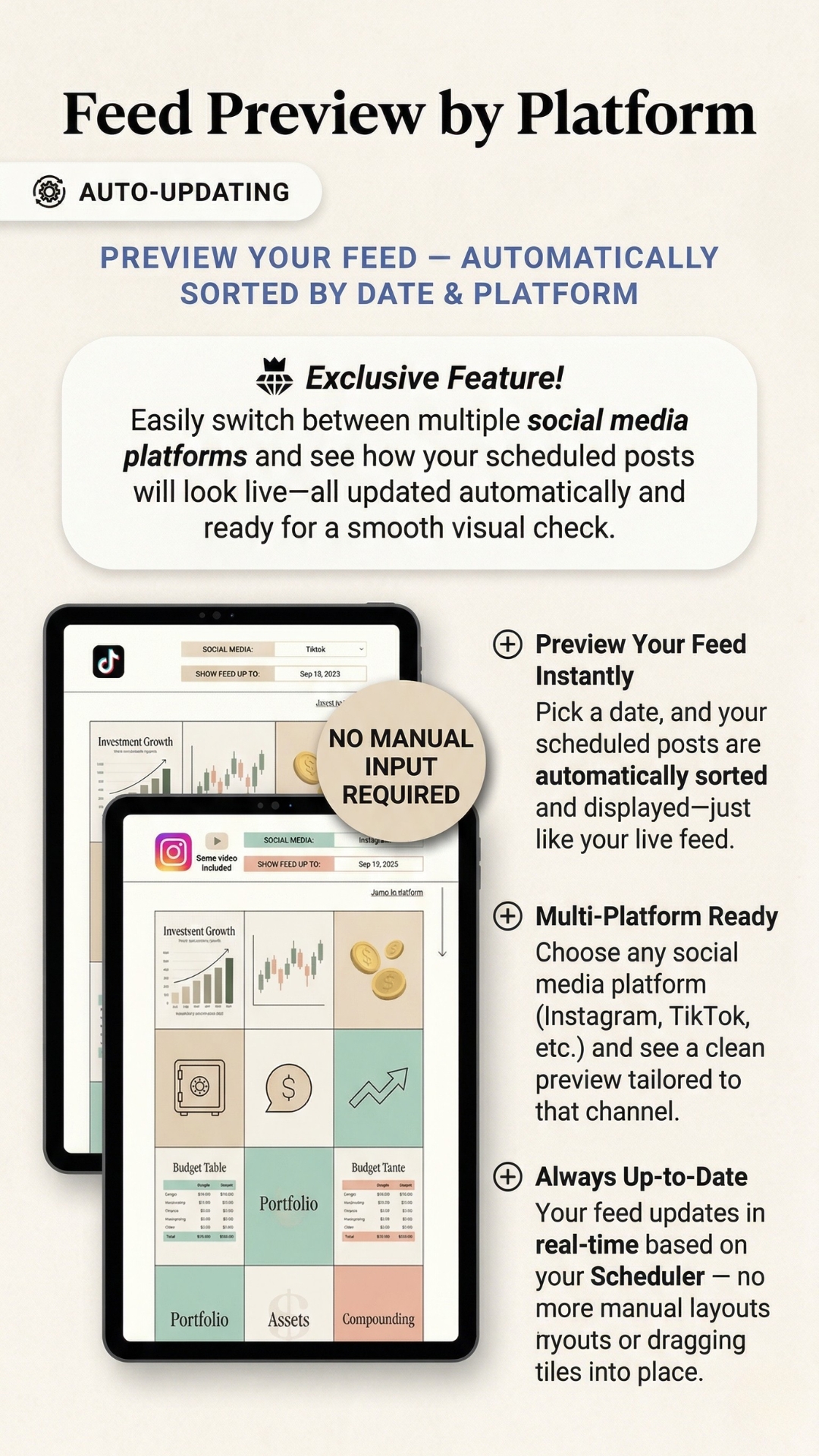
Feed Preview by Platform

See exactly how your grid will look before you post. Switch between Instagram, TikTok, Pinterest and more — the feed auto-sorts by date and platform in real-time. Customer favorite!

  • Switch between any of 8 platform feeds instantly
  • Pick a date — posts auto-sort just like your live feed
  • Always up-to-date — no manual drag-and-drop ever
8 PlatformsAuto-SortedLive Grid
🗓️
⚡ Automated
03

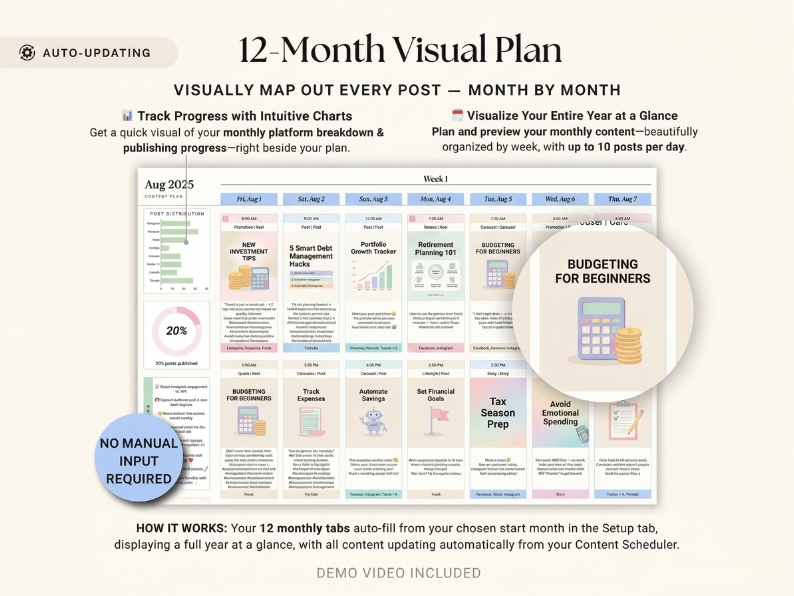
12-Month Visual Plan

Visually map out your entire year at a glance — up to 10 posts per day, beautifully organized by week. All 12 monthly tabs auto-fill from your Content Scheduler. No manual input required.

  • 12 auto-filling monthly tabs — one for each month
  • Up to 10 posts/day displayed per cell
  • Platform breakdown charts auto-update beside your plan
  • Publishing progress tracker — see your % complete
12 Months10 Posts/DayProgress Charts

Creator Results After 60 Days

Posting Consistency+87%
Time Saved Planning+76%
Engagement Growth+63%
Stress Reduction+91%
Content Variety+58%

Survey of 620 creators · 60-day results

📆
⚡ Automated
04

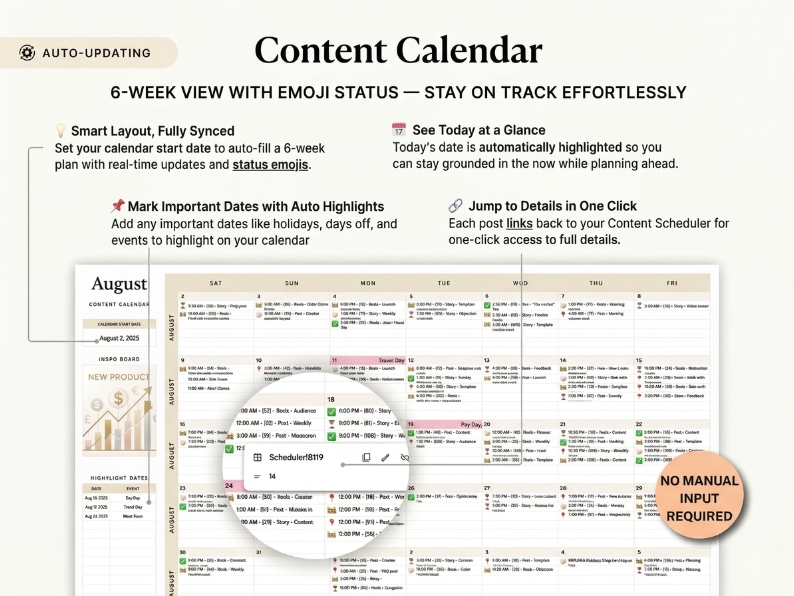
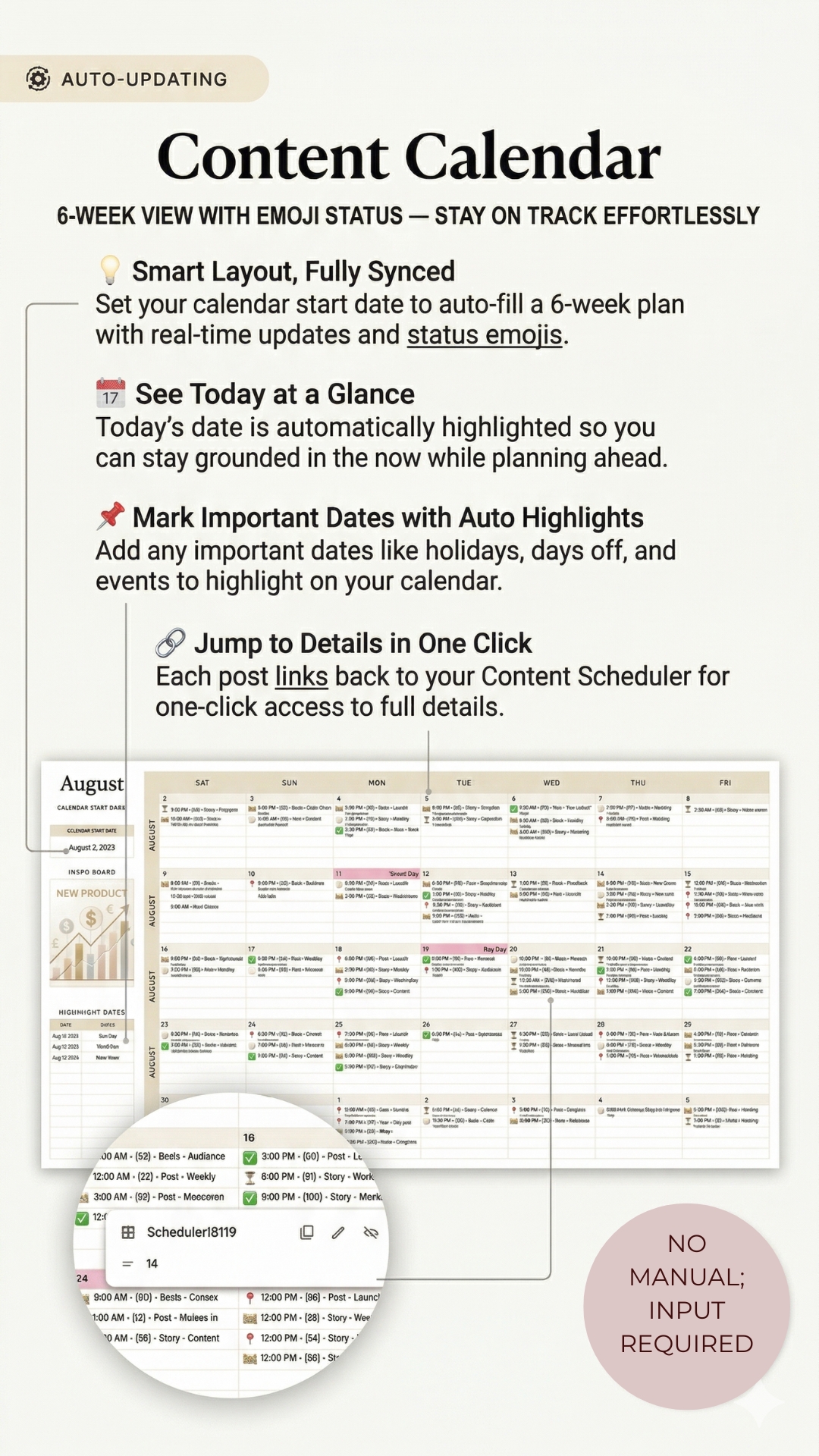
Smart Content Calendar

A 6-week calendar view that auto-fills from your Scheduler. Today's date is highlighted automatically, important dates are marked, and each post links back to full details in one click.

  • Set your start date — 6 weeks auto-fill instantly
  • Status emojis show published, draft, scheduled at a glance
  • Mark holidays, days off & events with auto-highlights
  • Jump to any post's full details in one click
6-Week ViewStatus EmojisOne-Click Links
#️⃣
⚡ Auto-Sync
05

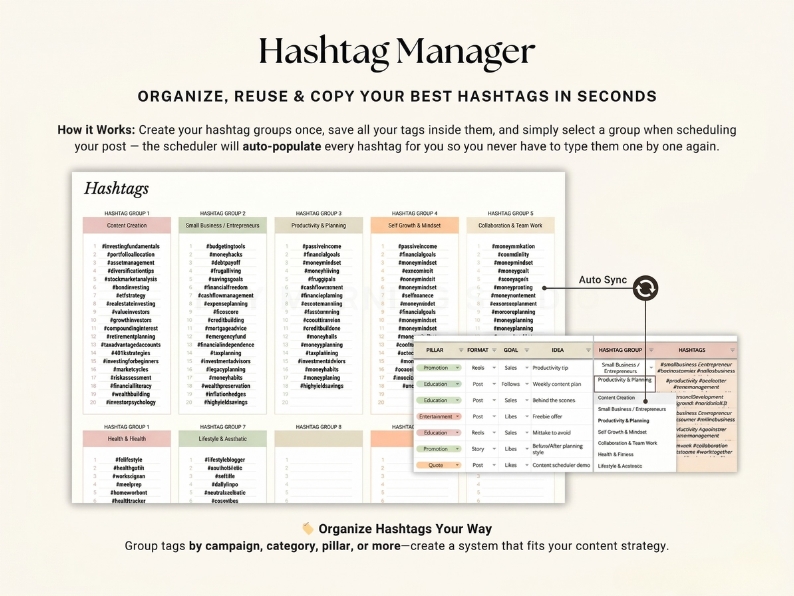
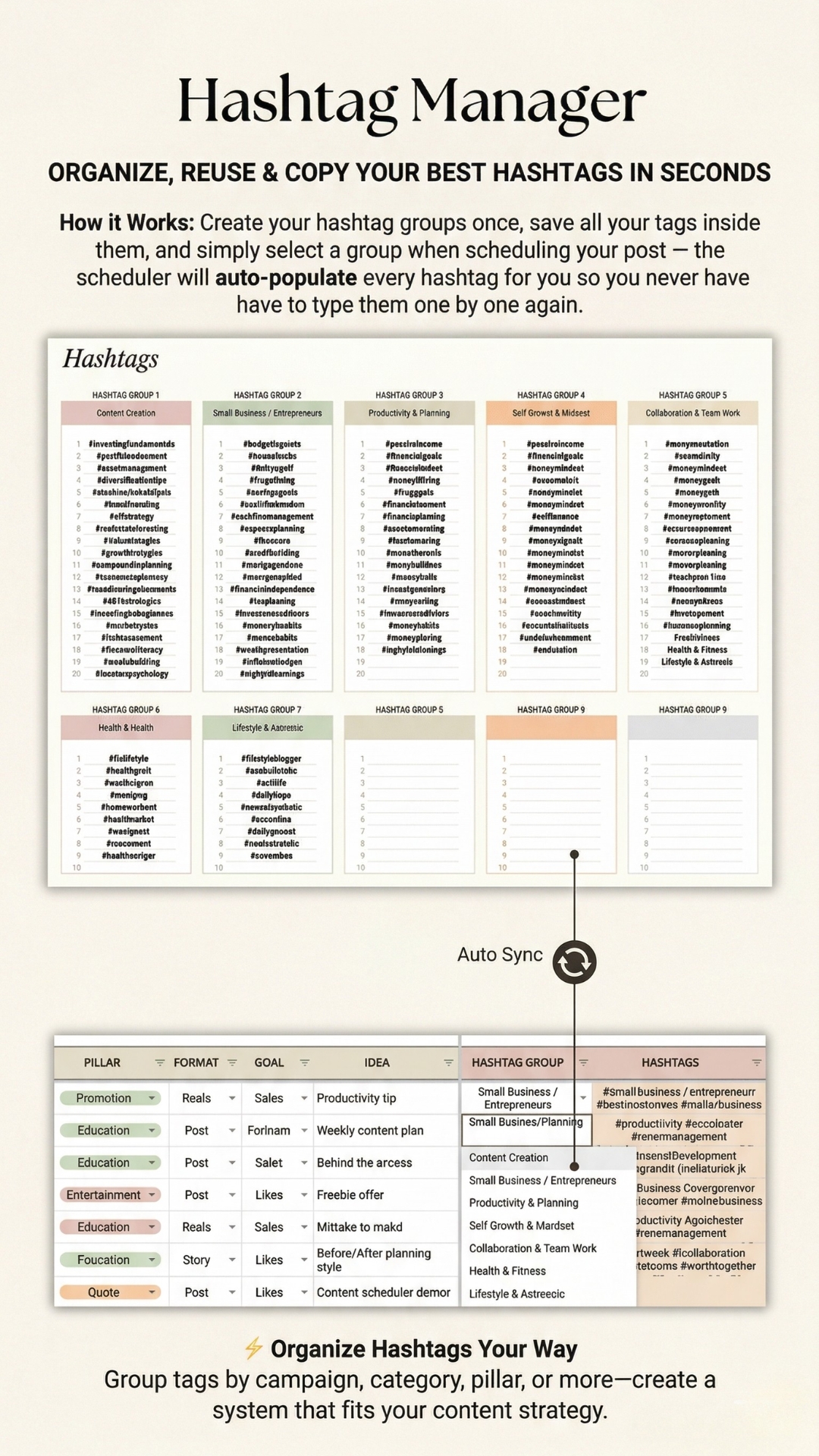
Hashtag Manager

Create hashtag groups once, then select a group when scheduling — the Scheduler auto-populates every tag for you. Never type hashtags one by one again.

  • Organize tags by campaign, category, pillar, or niche
  • Auto-populates into every post row via dropdown
  • Groups sync directly to your Content Scheduler
Auto-PopulateGroup by NicheInstant Copy
📈
06

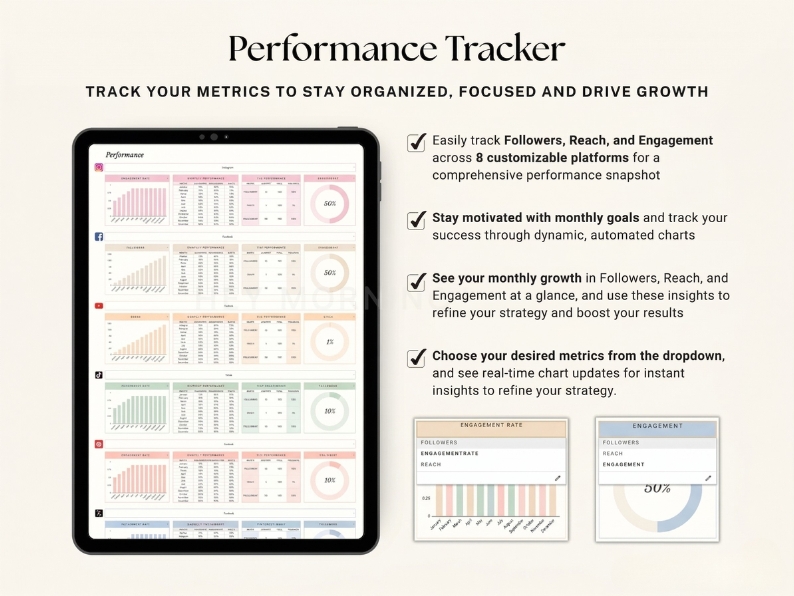
Performance Tracker

Track followers, reach, and engagement across all 8 platforms. Set monthly goals, see your growth month by month, and use automated charts to refine your strategy.

  • Followers, reach & engagement per platform
  • Monthly goals with dynamic progress charts
  • Choose metric from dropdown — charts update instantly
  • YTD performance overview at a glance
8 PlatformsGoal TrackingAuto-Charts
Setup in 5 minutes

From zero to fully planned
in four simple steps

No spreadsheet experience needed. Everything is labeled, color-coded, and ready to use the moment you open it.

1
⚙️
Set Up Your Planner

Open the Setup tab, choose your start month, add your platforms, and customize your content pillars. Done in under 5 minutes.

2
✍️
Schedule Your Content

Fill in the Content Scheduler row by row — date, time, platform, hook, caption, CTA, and hashtag group. One row per post.

3
Everything Auto-Updates

Your calendar, feed preview, 12 monthly tabs, and hashtags all populate instantly. No copy-pasting, no manual work.

4
🚀
Post & Track Growth

Mark posts as Published, log your metrics in the Performance Tracker, and watch your engagement grow month over month.

★★★★★
50,000+ creators love this
10K posts per file
8 platforms supported
19 auto-updating tabs
12 months of planning
Real results

50,000+ creators
already planning smarter

From solo content creators to small business owners — here's what they're saying.

★★★★★
📸 Instagram creator

The feed preview is an absolute game-changer. I can see exactly how my grid will look before I post anything. My aesthetic has never been more consistent — my follower growth doubled in 30 days.

Sophia Laurent
Lifestyle Creator · 82K followers
★★★★★
🎵 TikTok + Instagram

I used to spend 4 hours every Sunday planning content. Now I batch it in 45 minutes. The hashtag manager alone saves me so much time — I just pick a group and it fills everything in automatically.

Maya Chen
Small Business Owner · Skincare Brand
★★★★★
💼 LinkedIn + Multi-platform

Managing 6 platforms felt impossible until this planner. The multi-platform scheduler is brilliant — I write a post once, assign it to 3 platforms, and the feed previews for each one update automatically.

James Okafor
Marketing Consultant · 6 platforms
★★★★★
📸 Instagram · Pinterest

The 12-month visual plan is incredible. Being able to see my entire year mapped out — color-coded by content pillar — means I never repeat myself and always have a balanced, intentional feed.

Priya Nair
Pinterest & Lifestyle Creator
★★★★★
🎵 TikTok creator

I've tried Notion, Trello, and three other planners. Nothing comes close to this. The performance tracker finally helped me figure out which content type drives the most followers. My strategy completely changed.

Luca Bianchi
TikTok Creator · 230K followers
★★★★★
📸 Agency · 8 clients

We use this for all 8 of our clients. One file per client, everything organized. The content scheduler's filtering makes it easy to show clients a clean view of exactly what's going live and when.

Elena Ross
Social Media Agency Owner
19 tabs total

Everything you need,
nothing you don't

Comes with full setup instructions + YouTube demo video. Easy to use even if you've never used Google Sheets before.

📅 Planning & Scheduling
Content Scheduler (up to 10,000 posts)AUTO
Content Calendar (6-week view)AUTO
12 × Monthly Plan tabsAUTO
Content Idea Bank
Setup & Instructions tab
📸 Visuals & Previews
Feed Preview by PlatformAUTO
Multi-Platform Feed ViewsAUTO
Grid sorted by date & platformAUTO
Post thumbnail image support
Post status color-codingAUTO
📊 Analytics & Tools
Performance Tracker (8 platforms)AUTO
Hashtag Manager (auto-sync)AUTO
Monthly goal tracking chartsAUTO
Engagement rate tracking
YTD performance overviewAUTO
Got questions?

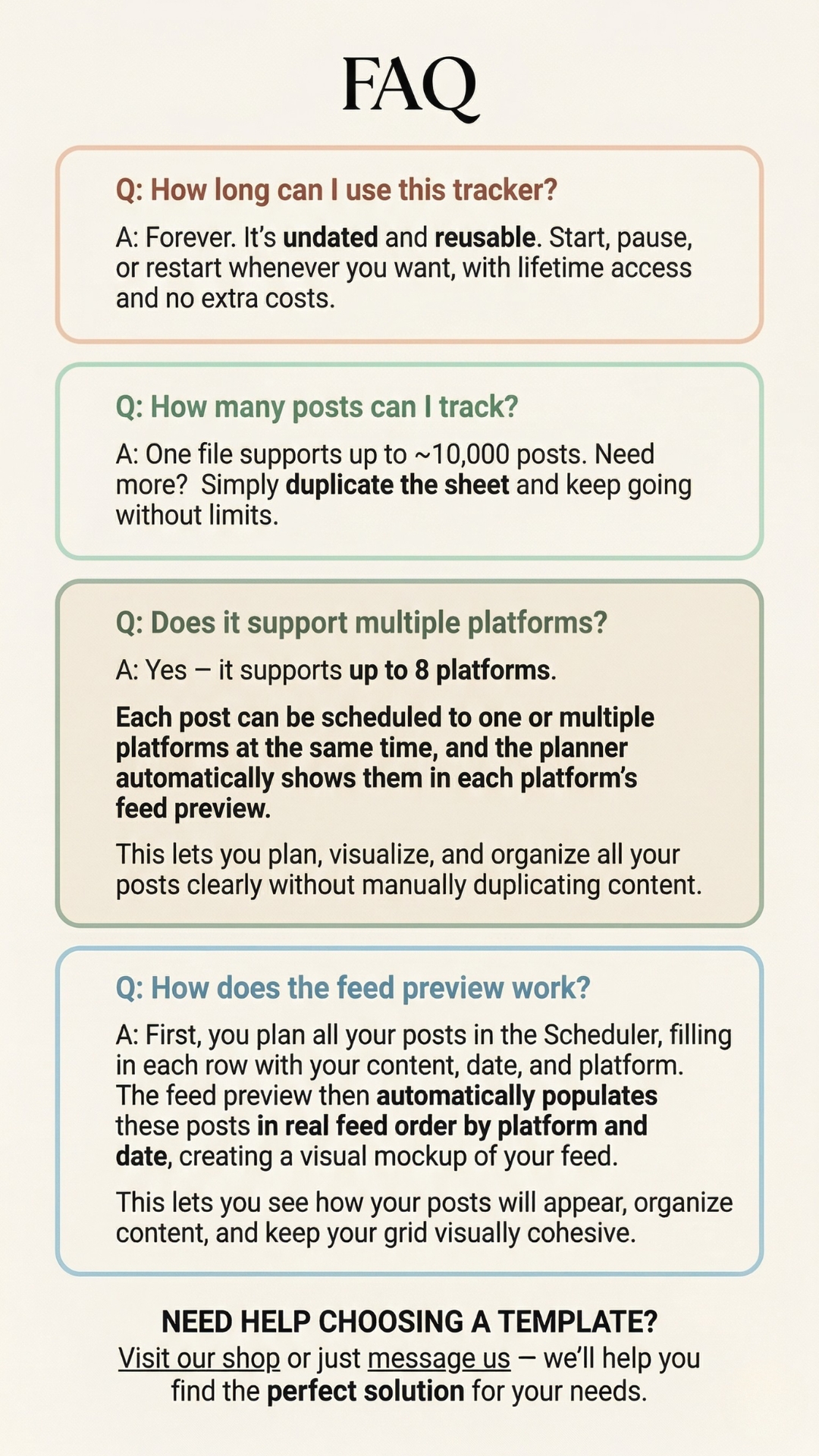
Frequently asked questions

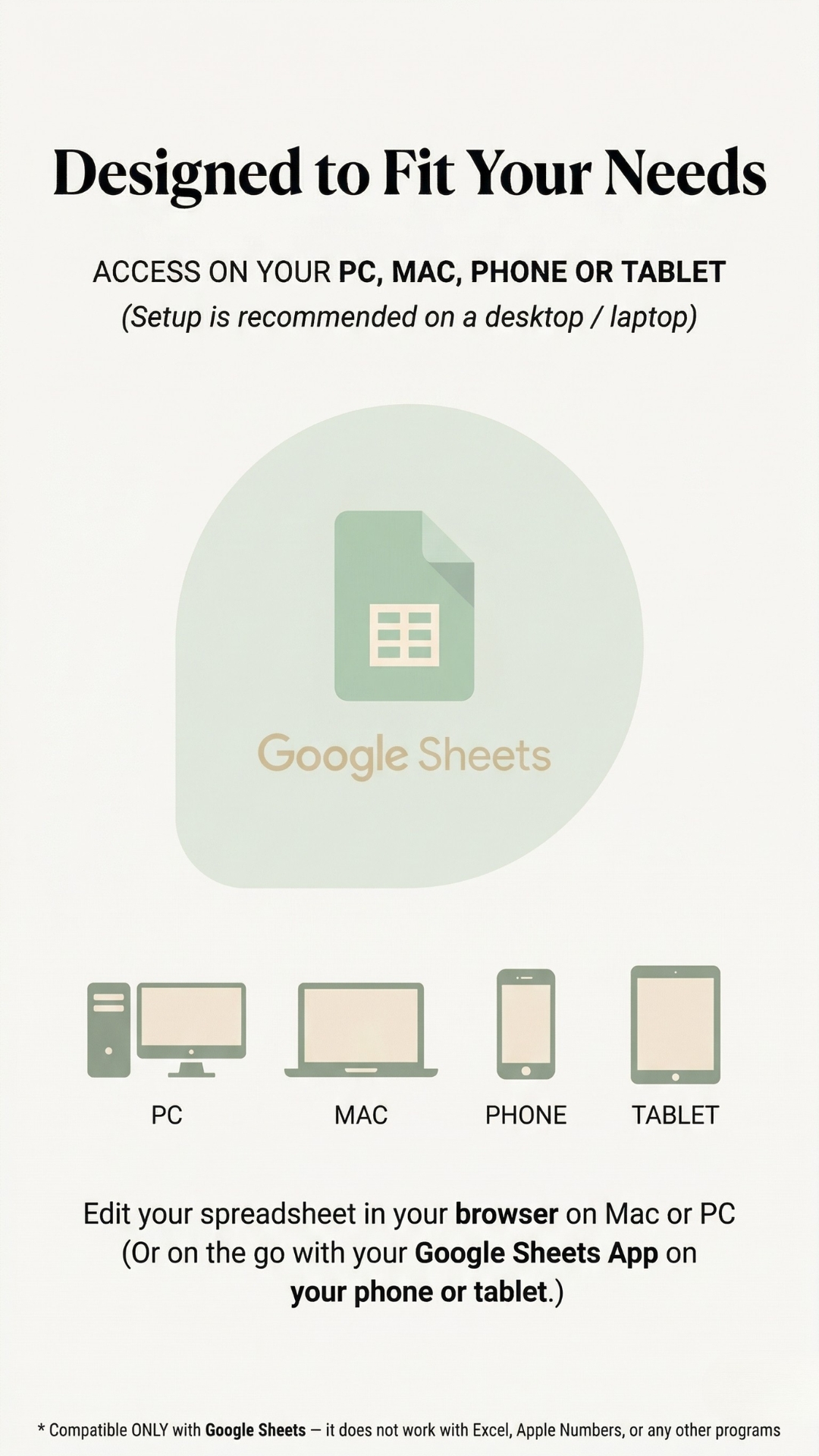
Does it work with Excel and Google Sheets?
Yes — it works in both Microsoft Excel and Google Sheets. Access it in your browser on Mac or PC, or on the go via the Excel or Google Sheets app on your phone or tablet.
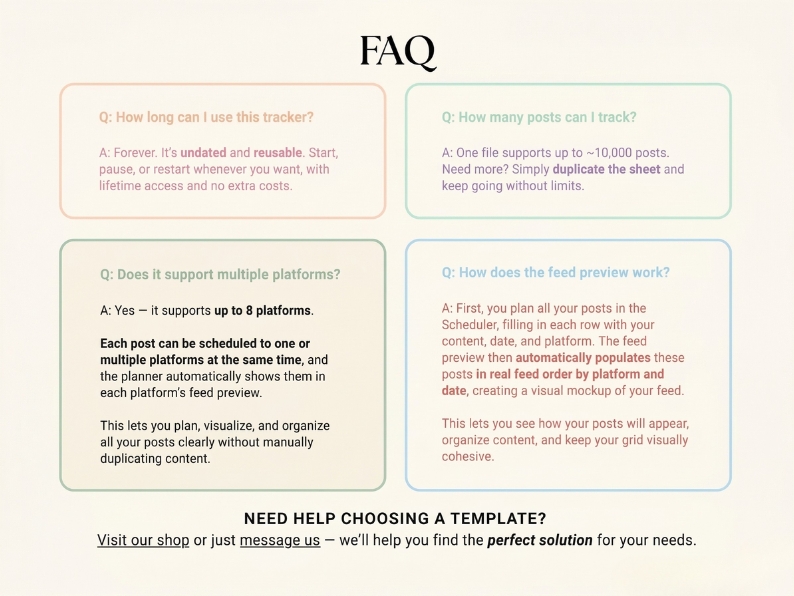
How many posts can I schedule?
One file supports up to ~10,000 posts. Need more? Simply duplicate the sheet and keep going — there are no limits.
Which platforms does it support?
It supports up to 8 platforms — Instagram, Facebook, Pinterest, TikTok, YouTube Shorts, LinkedIn, Threads, Twitter/X, and more. Each post can be assigned to one or multiple platforms at the same time, and the feed preview shows how it looks in each platform's layout.
How does the feed preview work?
Plan your posts in the Content Scheduler with date, platform, and image. The Feed Preview tab then automatically populates posts in real feed order by platform and date — creating a visual mockup of your live grid. No manual dragging or duplicating ever.
Is this a one-time purchase?
Yes — buy once, use forever. It's undated and reusable. Start, pause, or restart whenever you want, with lifetime access and no extra costs. Free updates included.
I'm not tech-savvy. Is it easy to use?
Absolutely. The planner comes with full setup instructions and a YouTube demo video that walks you through every tab. Most users are fully set up and planning within 5 minutes. No formulas or spreadsheet experience needed.
🌸 Spring Sale — Limited Time

Stop winging it.
Start planning like a pro.

One Google Sheet. 19 auto-updating tabs. Your entire content strategy — organized, visualized, and ready to execute.

📅 Content Scheduler
📸 Feed Preview
🗓️ 12 Monthly Plans
#️⃣ Hashtag Manager
📈 Performance Tracker
📹 Demo Video
$19 $38 Save $19
One-time purchase
Lifetime access
Excel & Google Sheets
50,000+ happy creators
🌸 Spring Sale ends soon. Excel & Google Sheets.
★★★★★
50k+ creators
$19 $38
Get Instant Access